Designing and programming an AI furniture finder website
Project type: UX/UI Design & Programming
Project year: 2023
Project role: UX Designer & Frontend Developer
Client: School project
Methods
- Wireframing
- Sitemap
- Database modeling
- Iterative design
- Usability heuristics
Tools
- Figma
- VSCode
Background
Smart Decor was created in a front-end programming course where me and my team were challenged to design and build a complete web interface from scratch. The project contains designing but the main focus was to learn programming.
Our concept solved a familiar problem:
You see beautiful furniture, for exampleon Pinterest, but you have no idea where to buy it...
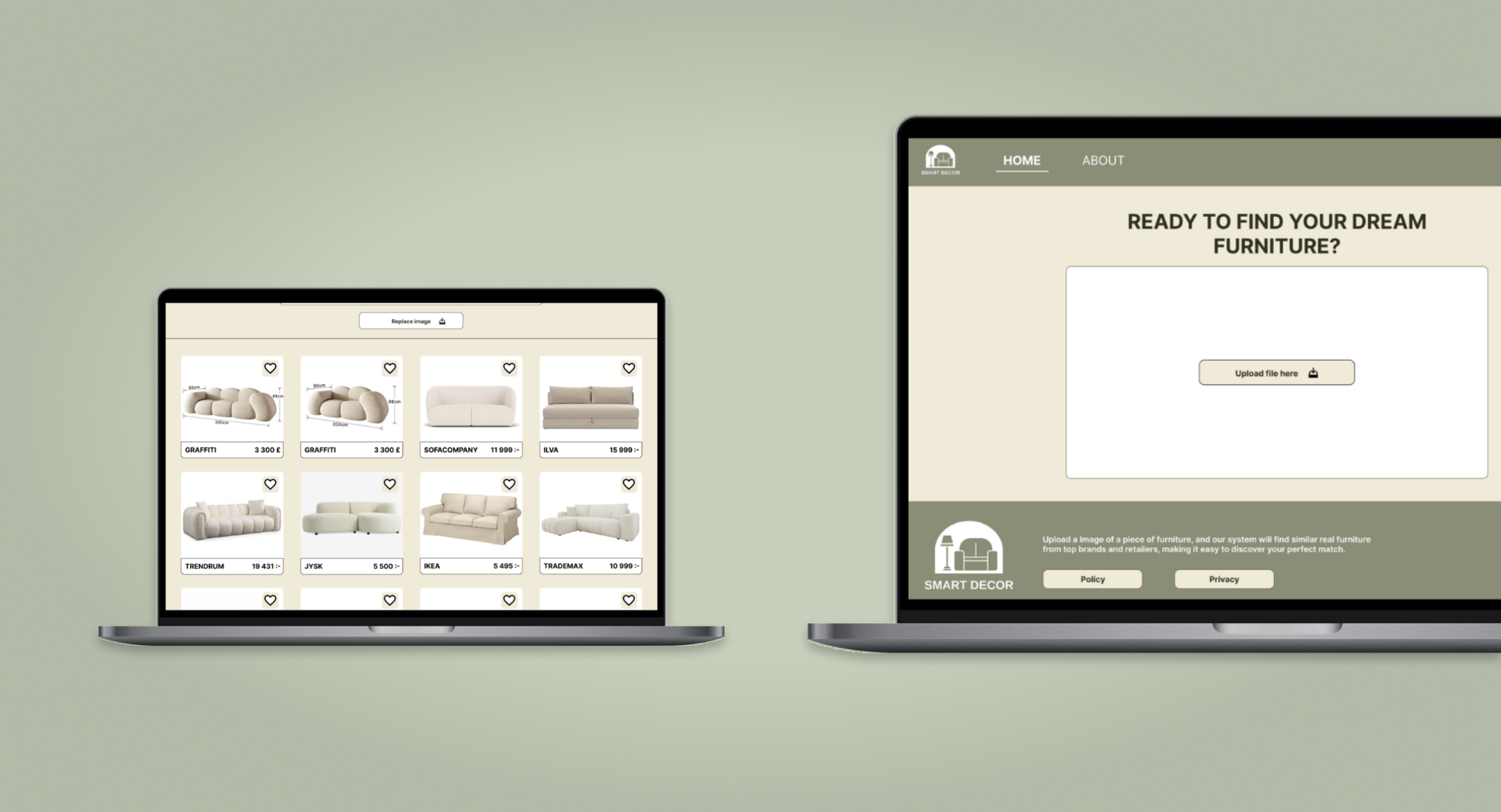
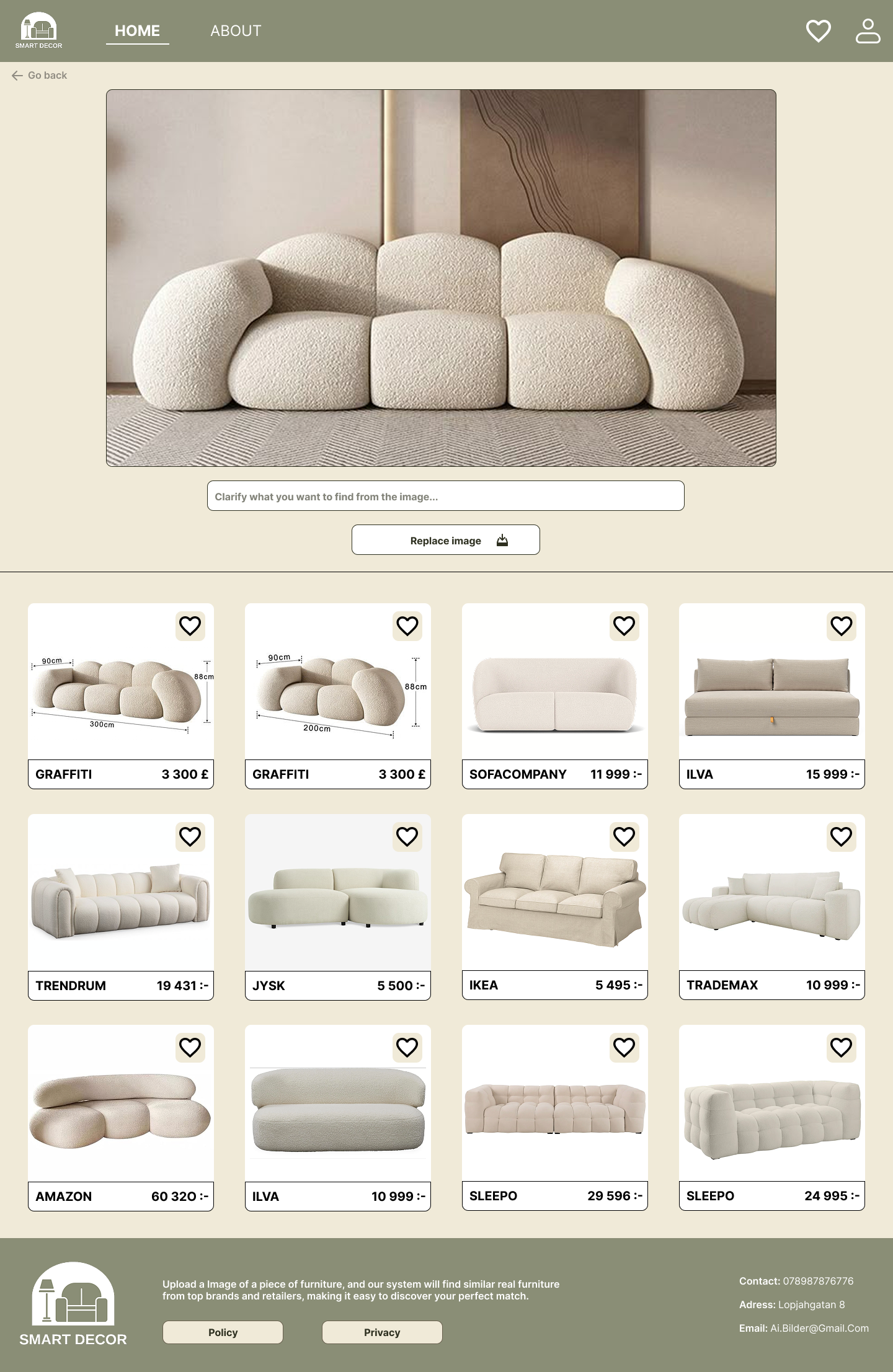
Smart Decorlets users upload a photo, receive AI-generated furniture matches, save and organize their favorites and go directly to the company page that sells the furniture.
Ideate
Since the project was about understanding and learning programming, we went directly into theIdeate phase for our website. We explored our own habits and identified keyfrustrations:
- It’s hard to find real purchase links from social media inspiration
- Screenshots get lost
- Searching manually is time-consuming
This shaped our functional and non-functional requirements, focusing on clarity, minimalism and intuitive flows.
Structuring the System
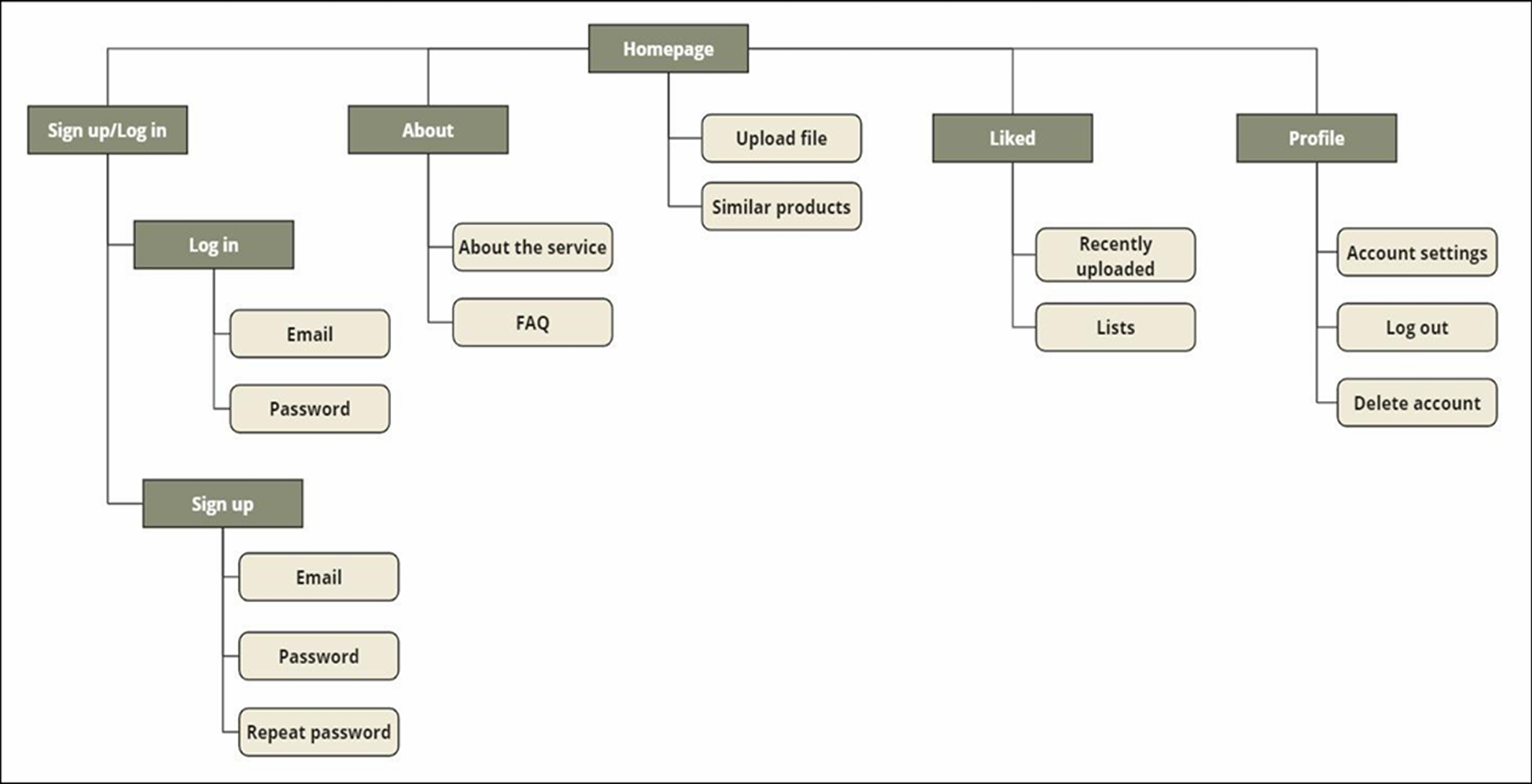
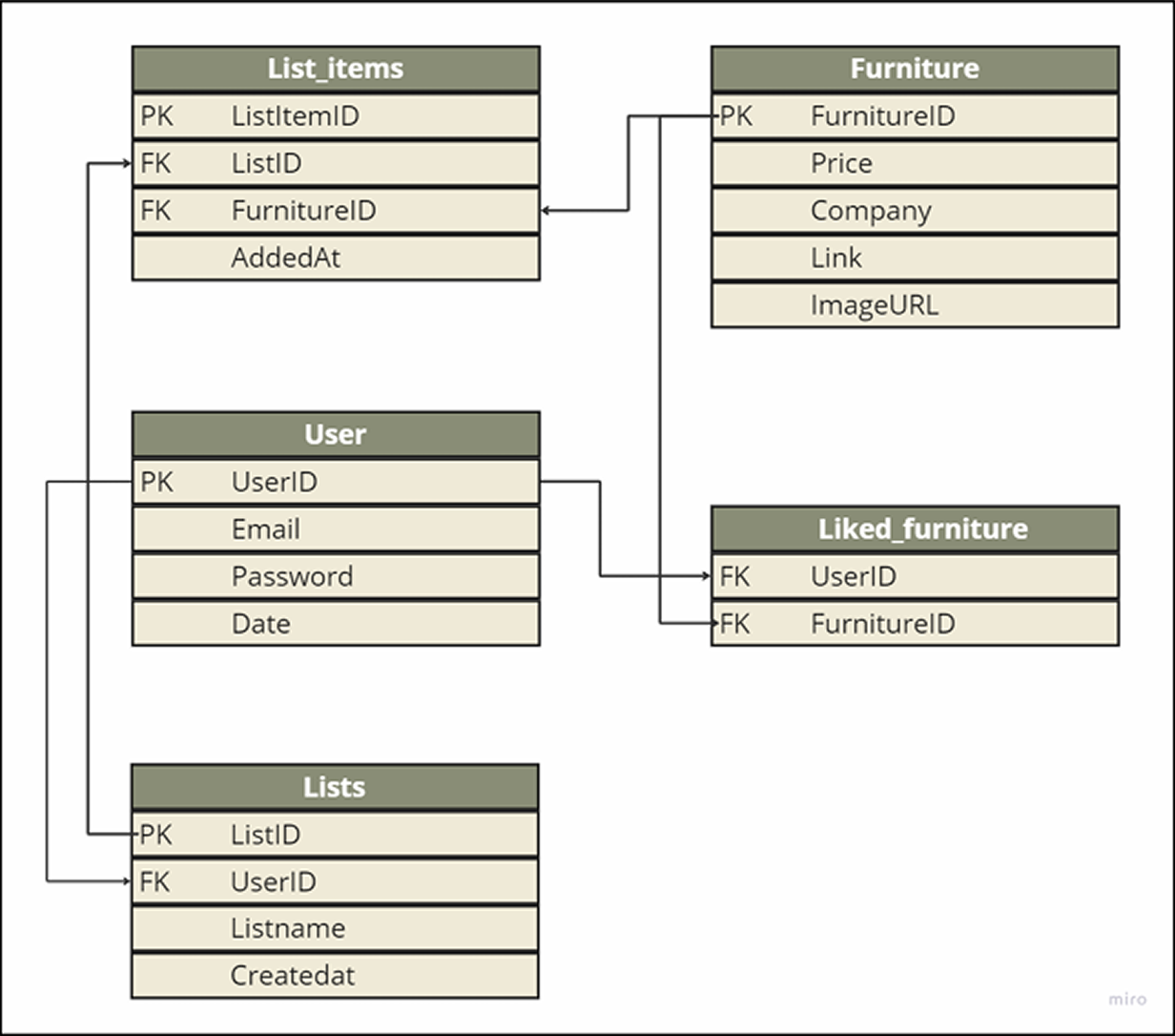
We startedby defining the website structure through a sitemap and a database model. This gave us a clear understanding of how users, lists, liked items and uploads needed to connect.
Designing the interface
We startedoff in Figma were we created low-fidelity wireframes to explore flow,navigation and hierarchy. The first designs were ambitious, including communityfeatures, but we quickly narrowed the scope to an MVP.

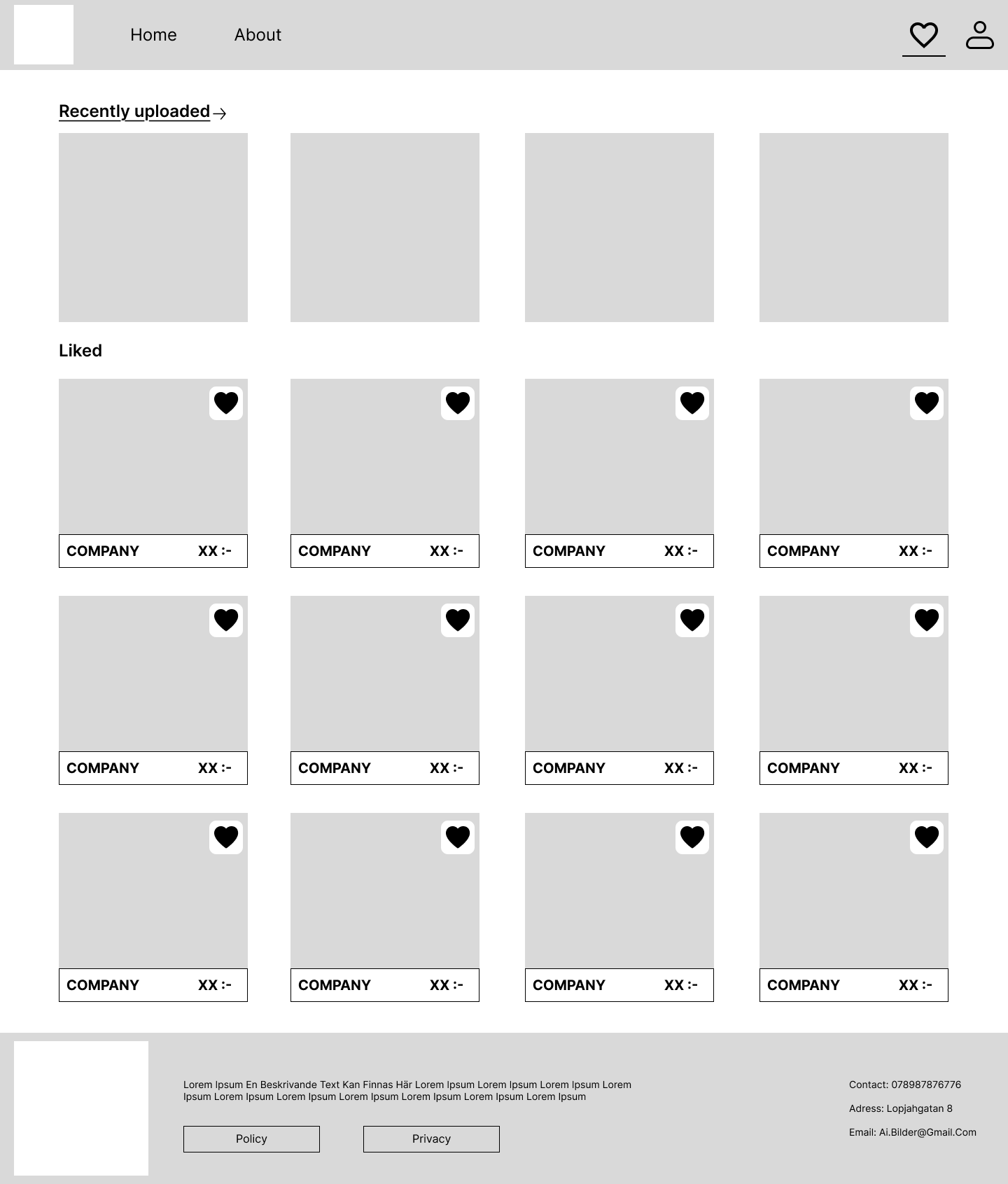
Thesewireframes illustrate early layout decisions and how the project evolved.
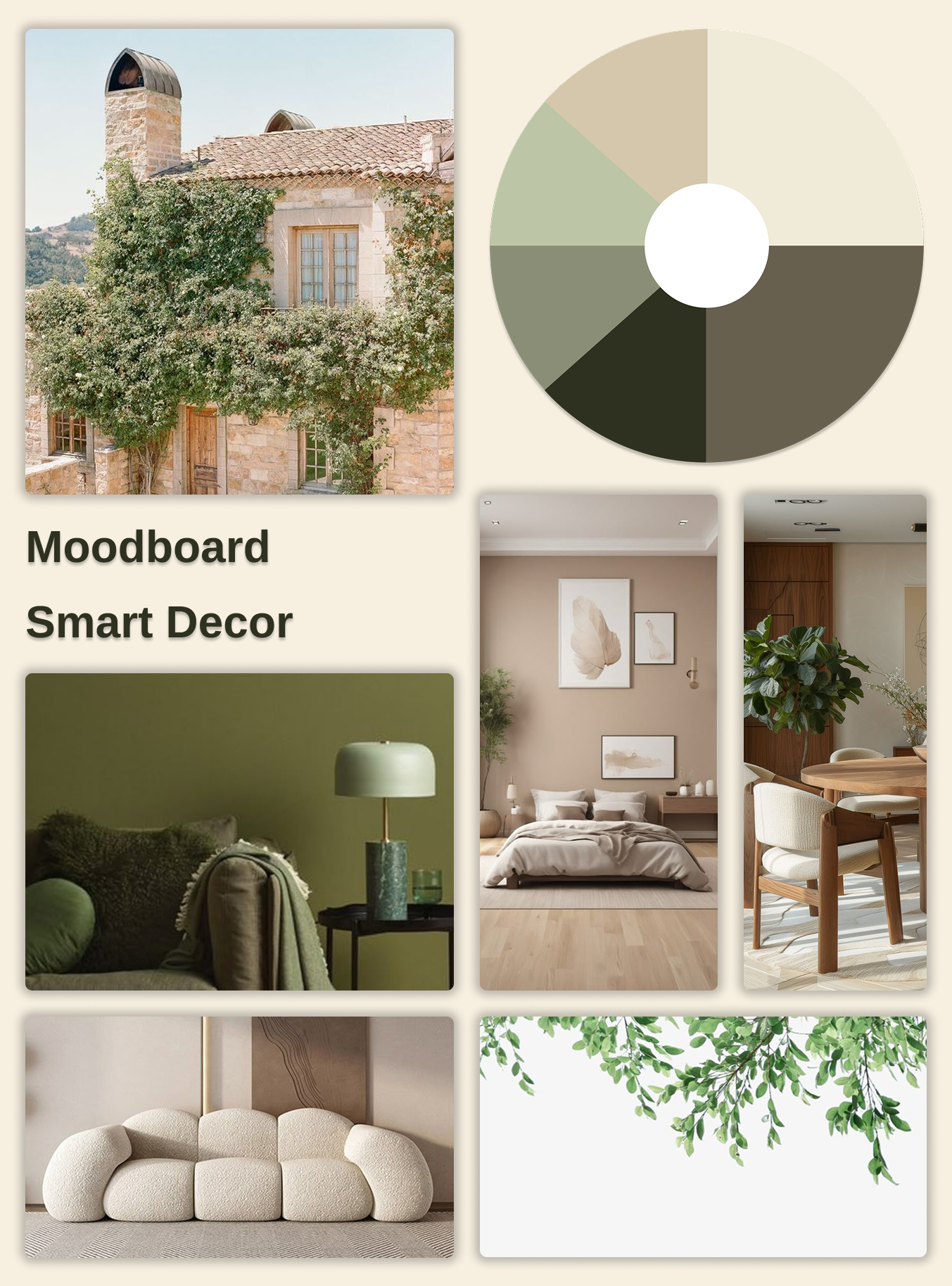
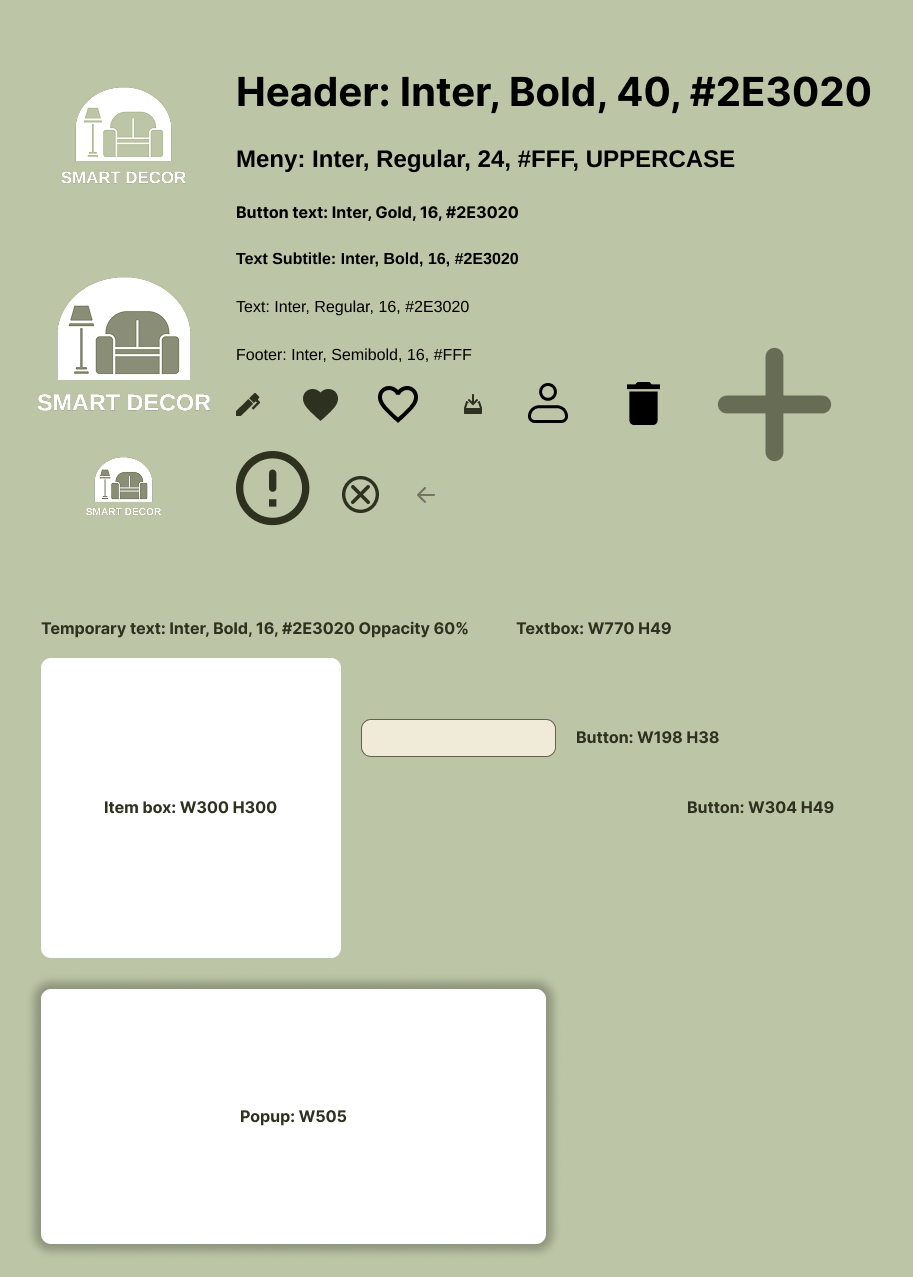
Next, webuilt a design foundation:
- moodboard
- Typography
- Components
- Color system
We chose natural tones and Inter as a primary font to create a calm, modern interior-inspired feeling. We then applied this on our low-fi prototype in Figma, turning it into a high-fi prototype.
Building the product
We used VSCode and programmed all functionality using HTML, CSS, JavaScript, SQL and phpMyAdmin. No external UI toolkits, everything was built from scratch.
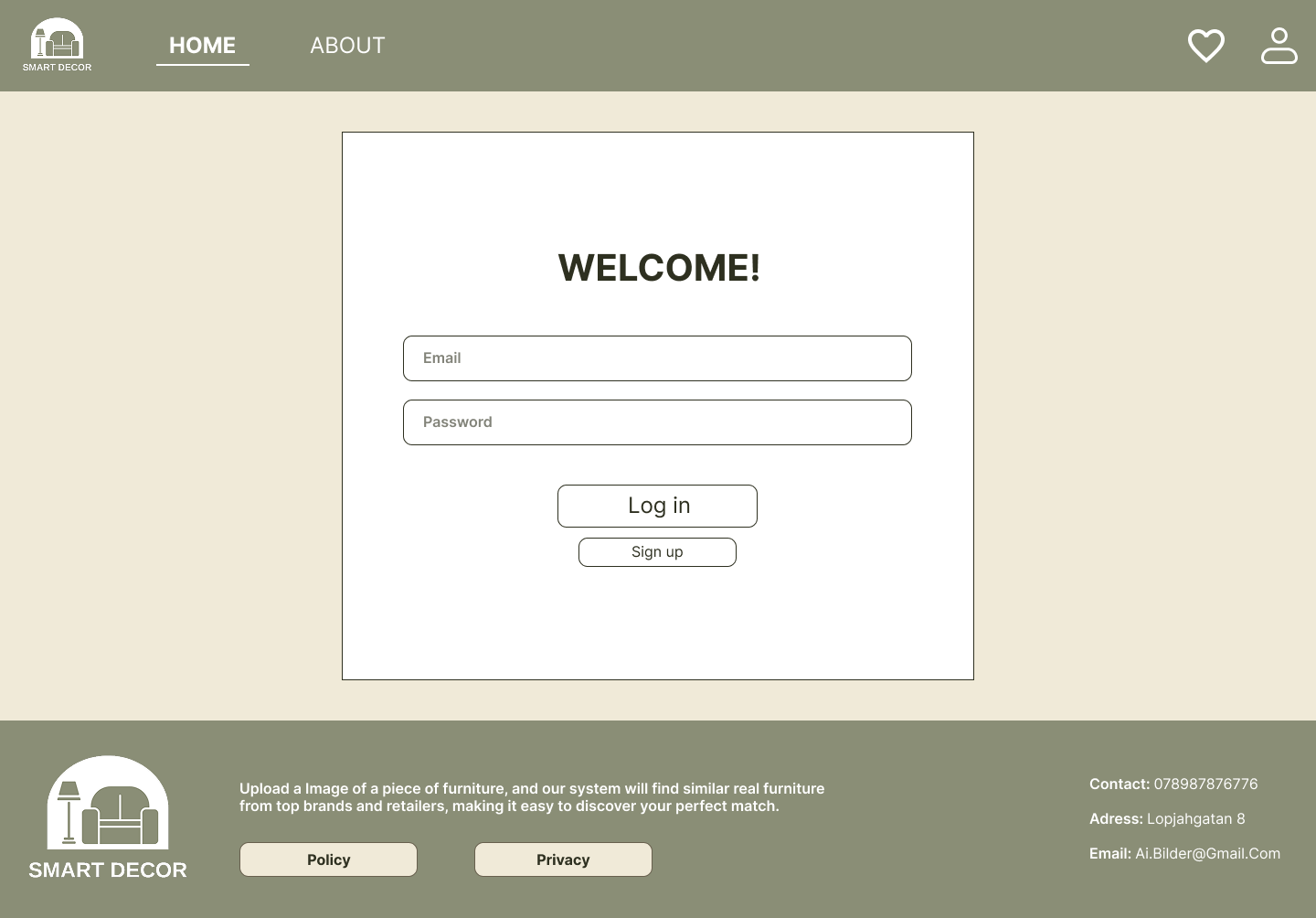
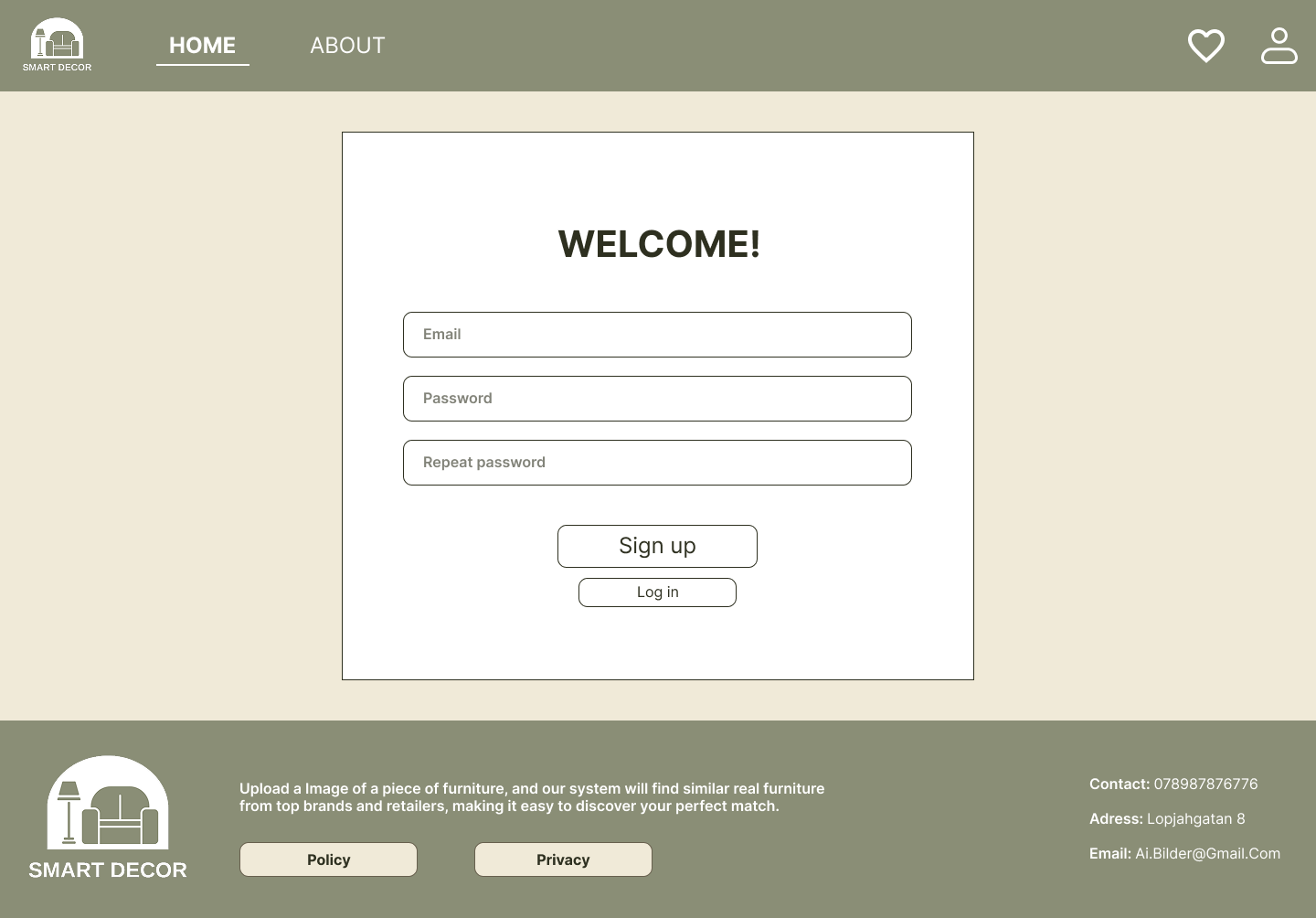
Login & Account Creation:
We avoided pop-ups and instead used dedicated pages to create clarity and trust.
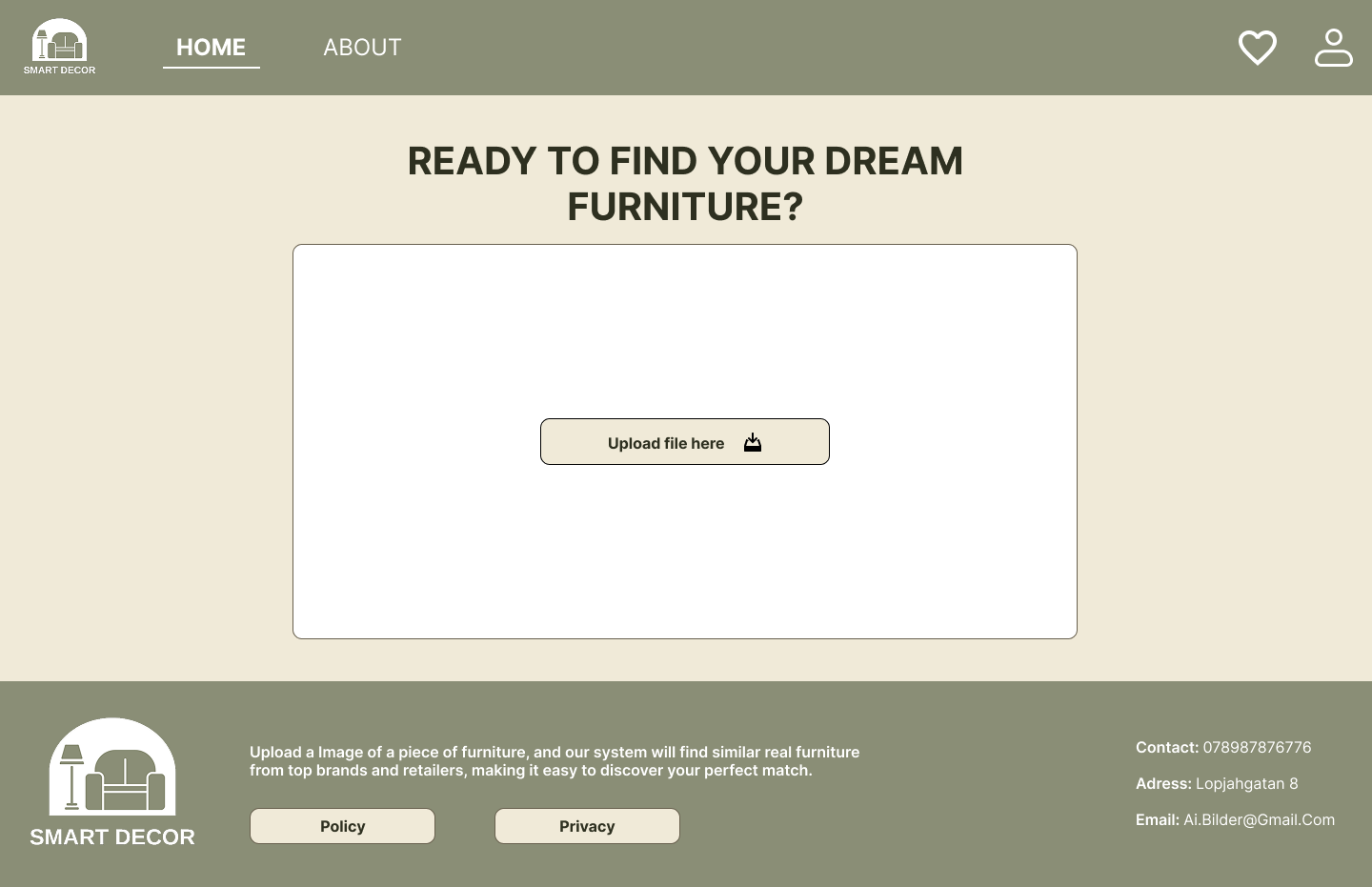
Home & Image Upload:
The homepage focuses on one simple action: upload an image and minimal distractions to reduce cognitive load.
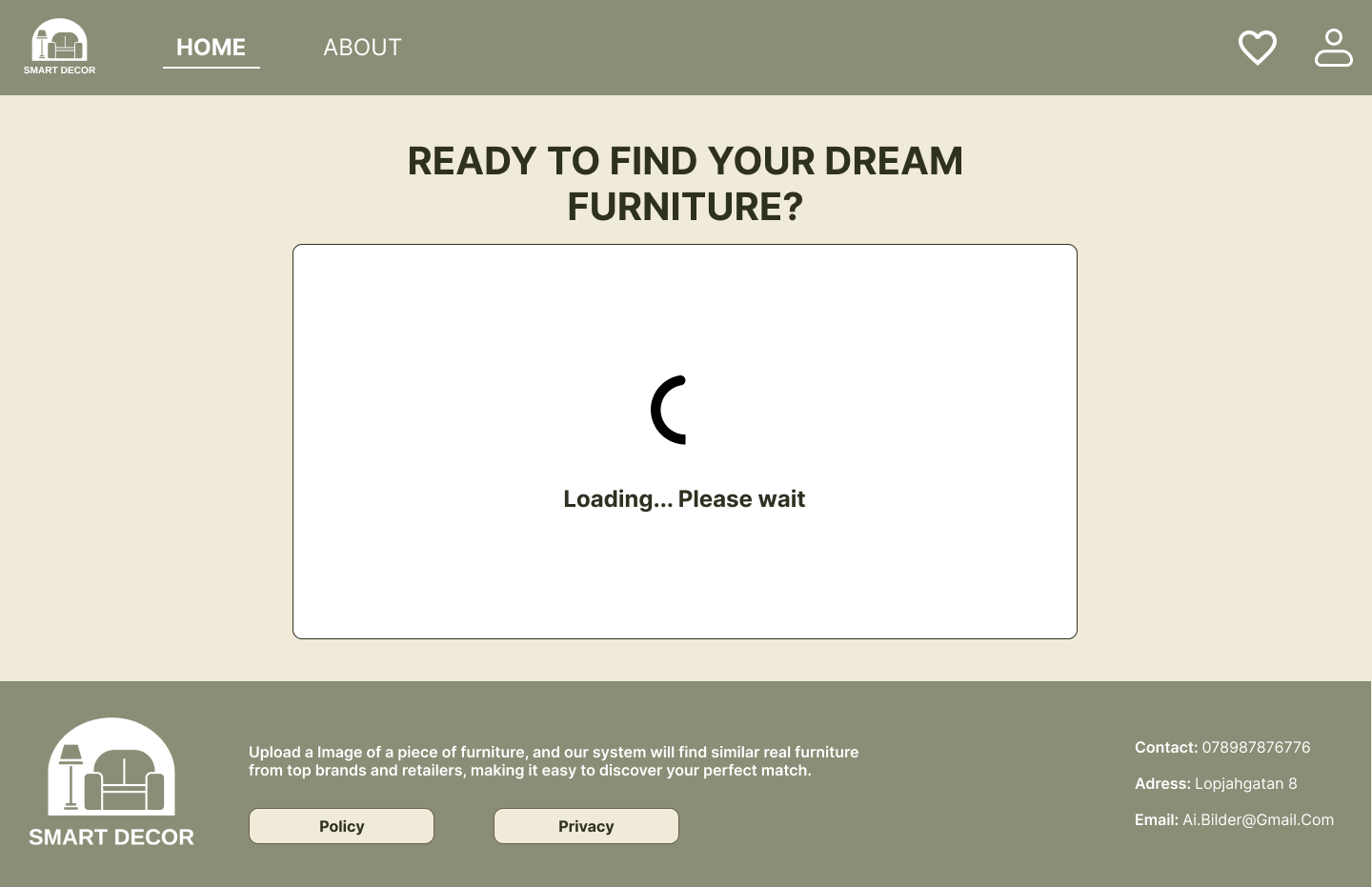
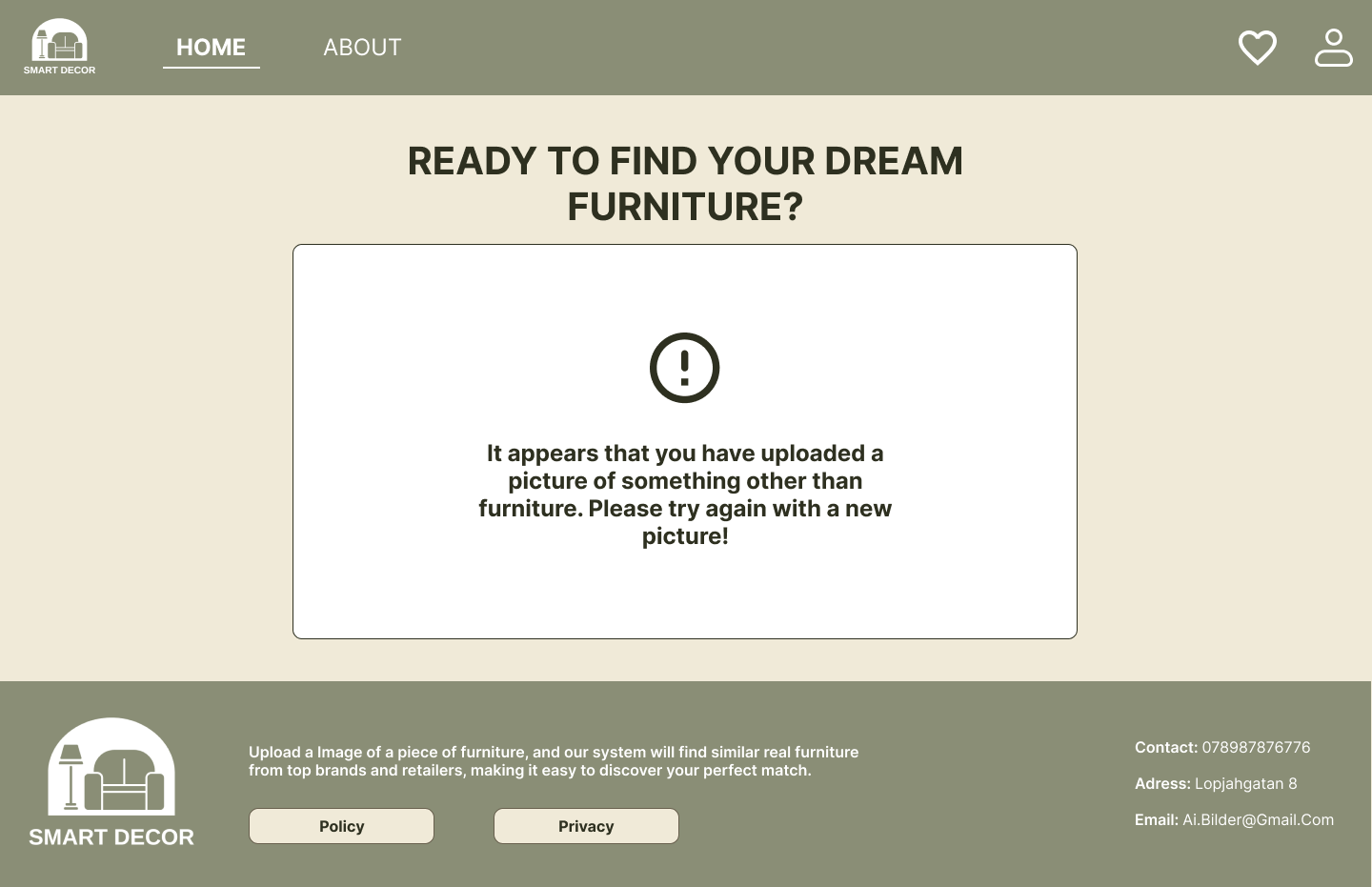
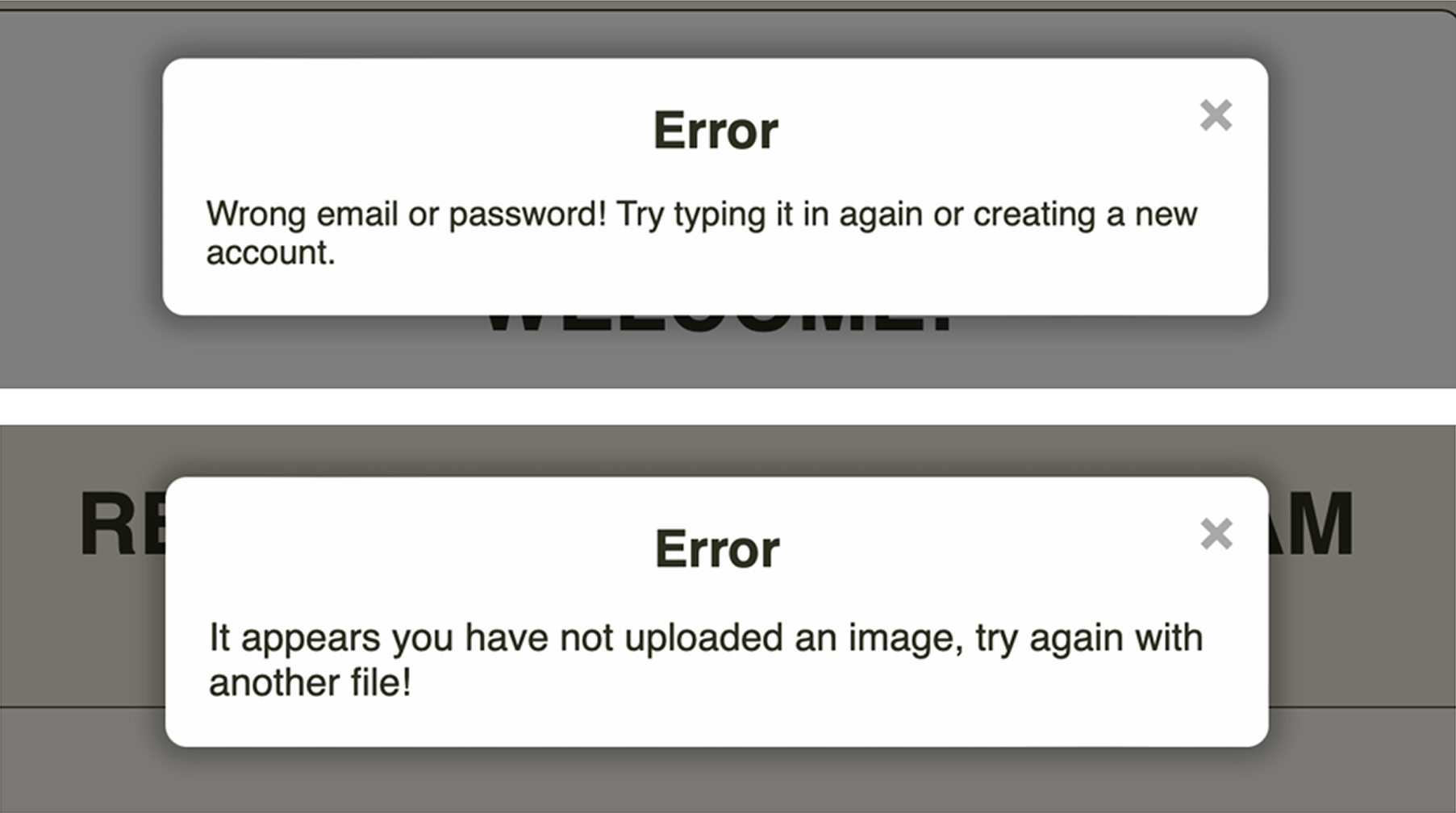
Loading & Error Handling:
To support user expectations, we added clear loading states and error messages, with explanations.
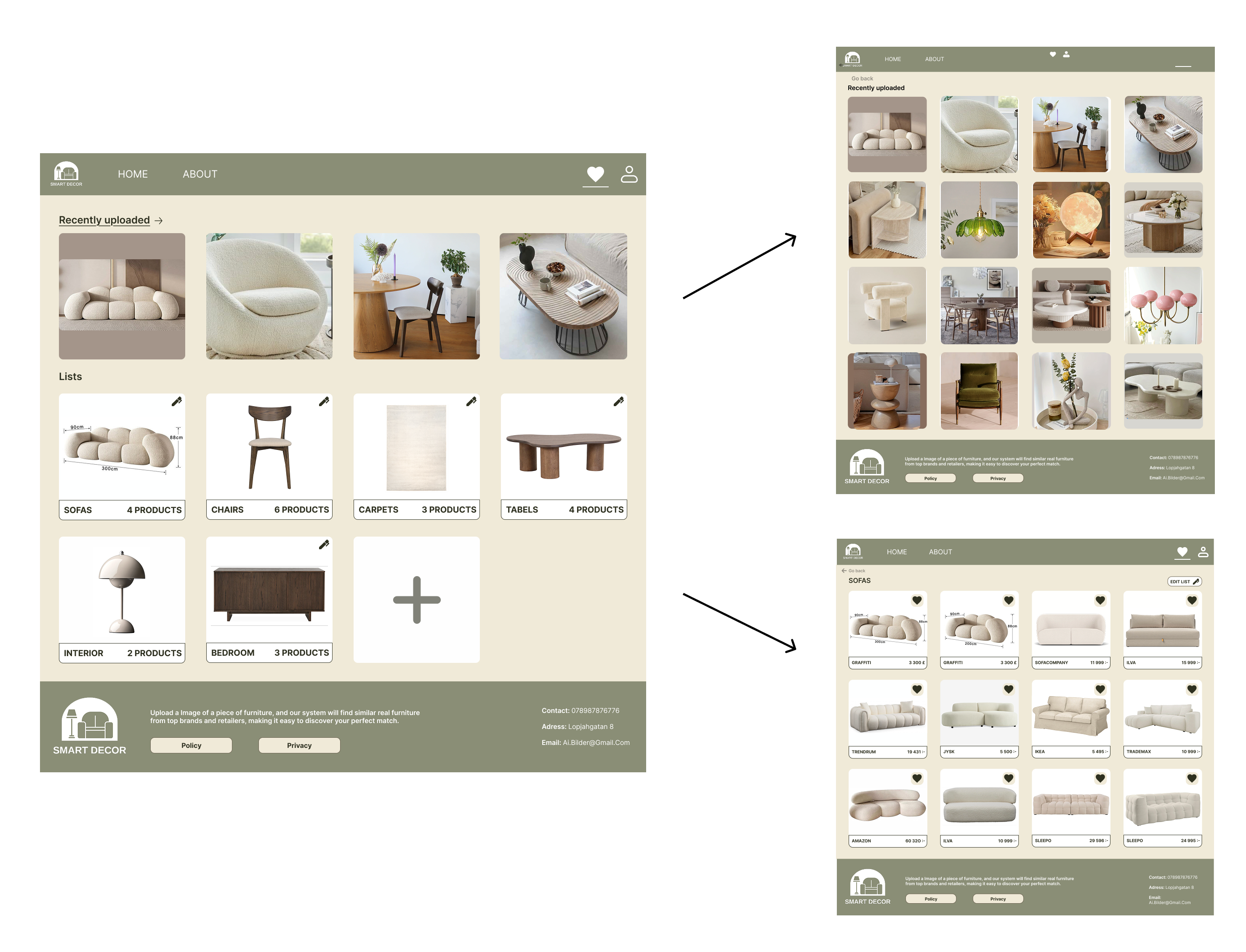
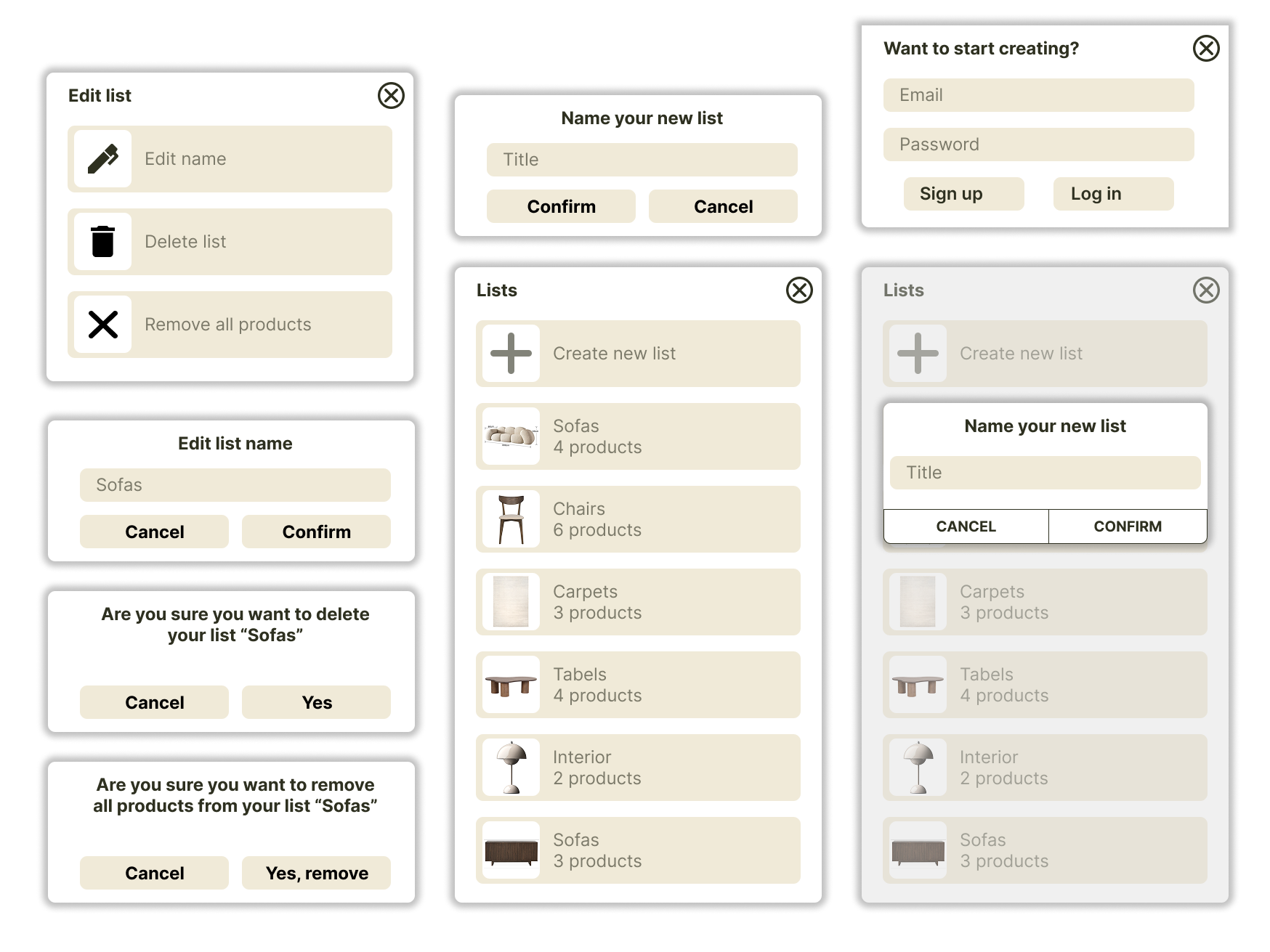
Saving & Organizing Furniture:
Users cansave items, organize them into lists, edit lists, and revisit their uploads. We designed pop-ups, edit modes, list thumbnails, and consistent iconography.
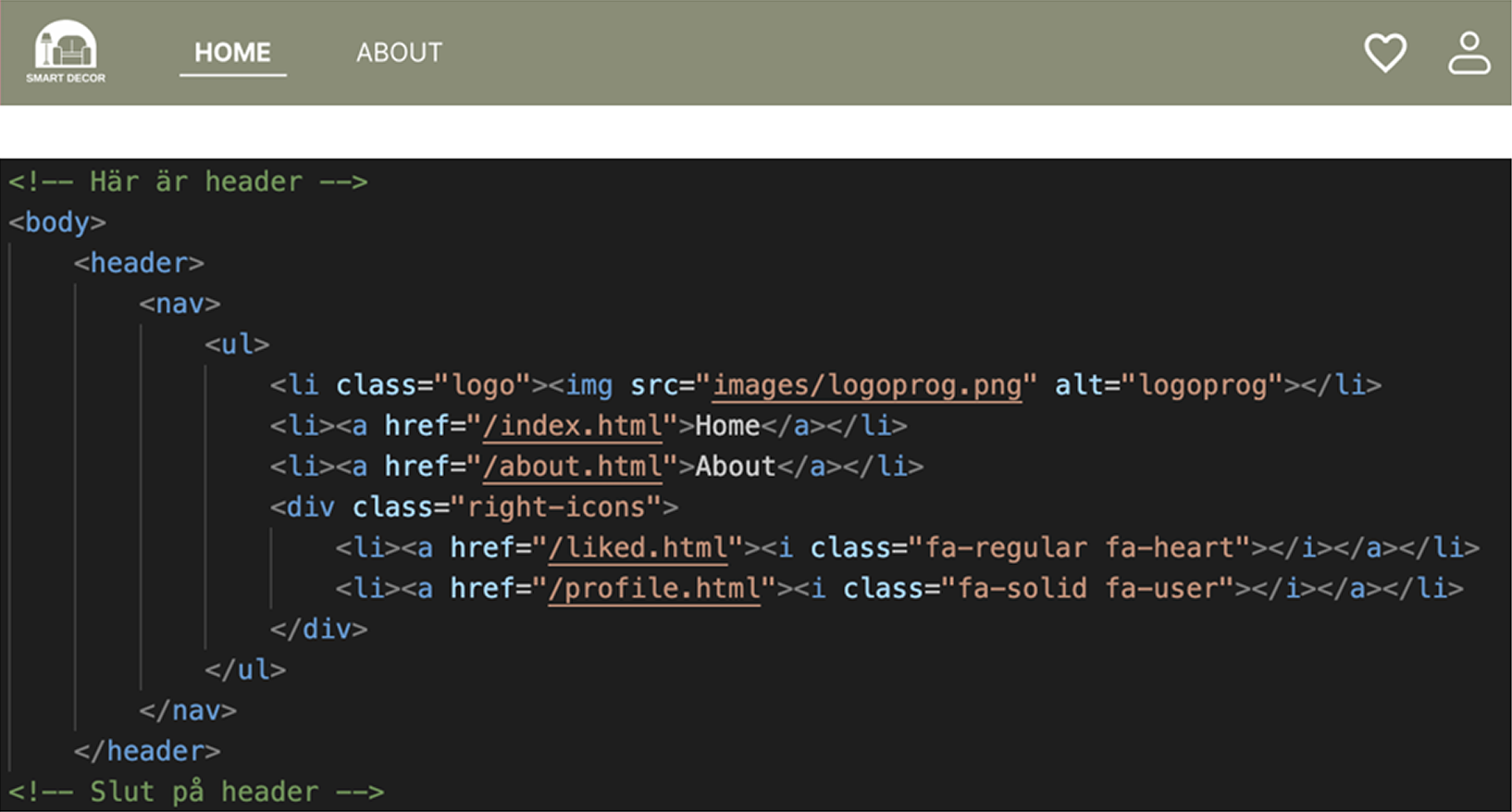
Navigation Bar:
We followed familiar conventions to make navigation easy.
Outcome
By the end of the course, we delivered a functional web interface where users can:
- Create an account
- Upload images
- Receive AI-generated matches
- Save items into lists
- Revisit recent uploads
- Navigate easily through a clean interface
Key learningsand take aways
Designing and programming Smart Decor taught me how to bridge design and development through:
- Translating design decisions into functional front-end code
- Building both UI and logic from scratch
- Understanding database structures as part of UX
- Prioritizing MVP thinking
- Collaborating in a multi-developer workflow
This project became a turning point in my understanding of how real interfaces work beyond visuals, into interaction logic and technical structure.

